
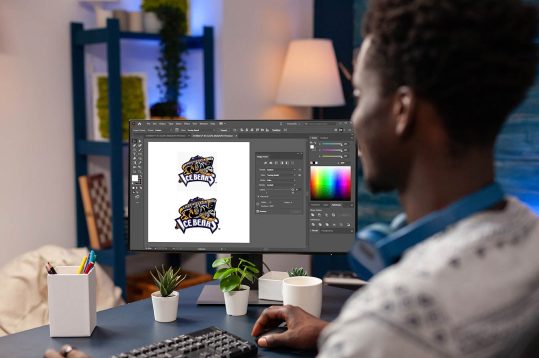
You have a design you want to stitch. Your machine uses the XXX format, common with Compucon and Singer embroidery machines. You search online for a free way to convert your image to XXX, and you find dozens of websites promising instant conversion. Before you upload your precious logo to some random site, let me save you some headaches. Learning how to Digitize XXX Embroidery Files for Free requires understanding what XXX files actually are, which tools genuinely work, and when free options hit their limits.
XXX is a proprietary embroidery format developed by Compucon USA for Singer and compatible machines . It contains stitch data, color information, and design instructions that tell your machine exactly how to recreate your design . Unlike universal formats like DST, XXX has specific requirements that not all free tools handle well.
Let me walk you through your real options for working with XXX files without spending money.
Understanding the XXX Format
Before we dive into tools, you need to understand what XXX files actually do. The .xxx extension is associated with Singer embroidery machines like the Quantum XL-100 and XL5000 . It stores embroidery design data including stitch patterns, colors, and layout information .
Important note: Not everything with a .xxx extension is an embroidery file. The same extension is also used by Corel Photo Album for panoramic photos and, unfortunately, by TeslaCrypt ransomware for encrypted files . Make sure your files actually come from embroidery sources.
XXX files are specific to Compucon/Singer machines . If you have a different machine brand, you likely need a different format. Always check your machine’s manual for compatible formats.
Free Tool 1: Ink/Stitch with Inkscape
Ink/Stitch is the most powerful free option for embroidery digitizing, and it supports XXX format . It is an open-source extension for Inkscape, a free vector graphics program .
What you need:
- Inkscape (free download from inkscape.org)
- Ink/Stitch extension (free from inkstitch.org)
How it works:
- Install Inkscape, then add the Ink/Stitch extension
- Import your image or create vector artwork directly
- Use Ink/Stitch’s tools to assign stitch types to your design
- Export to XXX format (supported via the PyEmbroidery library)
What it handles well: Vector-based designs, logos, text, and any artwork you create in Inkscape. It gives you complete control over stitch density, underlay, and pathing .
What it struggles with: Auto-digitizing complex photographs directly. The learning curve is genuine—expect to spend time mastering vector concepts .
Best for: Users willing to invest time learning. If you digitize frequently, Ink/Stitch delivers professional capabilities at zero cost .
Free Tool 2: Embird Demo
Embird is professional embroidery software that offers a free demo version . The demo has limitations but lets you explore powerful features .
What you get:
- Access to Embird’s core functionality for a limited time (typically 30 days)
- Support for 70+ embroidery formats including XXX
- Basic digitizing and editing tools
How it works:
- Download Embird from their official website
- Install and run in demo mode
- Import your image or existing embroidery file
- Use available tools to edit or convert
- Export as XXX
What it handles well: Format conversion, design editing, and basic digitizing. The demo gives you a taste of professional software .
Limitations: Time-restricted. After the trial ends, you need to purchase to continue. Some advanced features may be disabled in demo mode .
Best for: Users who want to test professional software before buying, or who need a one-time conversion within the trial period .
Free Tool 3: My Editor
My Editor is a free embroidery file viewer and editor that supports multiple formats including PES, JEF, EXP, and potentially XXX through conversion workflows .
What it does:
- View and edit embroidery designs
- Resize, rotate, and combine designs
- Simulate stitching to preview results
- Convert between some formats
What it handles well: Basic editing tasks and design preview. It is excellent for tweaking existing designs .
Limitations: Not a full digitizing tool. You cannot create new designs from scratch easily. Format support varies .
Best for: Editing existing XXX files or converting from other formats you already have .
Free Tool 4: SewArt Trial
SewArt offers a 30-day free trial of their digitizing software . It converts raster images (JPG, PNG) into embroidery files .
What you get:
- Full access to SewArt’s digitizing features during trial
- Auto-digitizing tools for quick conversion
- Manual editing options
How it works:
- Download SewArt trial
- Import your image
- Use auto-digitize or manual tools to create stitches
- Export to various formats
Limitations: Time-restricted trial. After 30 days, you need to purchase .
Best for: One-time projects within the trial window, or testing before purchase .
What Free Tools Cannot Do
Free tools have limits. Understanding them saves frustration.
Auto-digitizing complex images rarely works well. Photographs, detailed illustrations, and intricate logos usually come out poorly with automatic conversion. Manual digitizing takes time to learn .
Advanced stitch effects like 3D puff, complex applique, or specialty fills require professional software. Free tools handle basic satin and fill stitches but lack sophisticated effects .
Perfect pull compensation requires experience. Free tools apply basic compensation, but fine-tuning for your specific fabric often needs human judgment.
Commercial-scale efficiency matters when you produce volume. Free tools work for personal projects but may slow down production work.
The Security Reality
Free online converters that promise instant XXX conversion without downloading software carry risks.
Uploading client logos to unknown servers exposes your intellectual property. You have no idea where those files go or who accesses them .
Malware risks exist with sketchy websites. Some free converter sites distribute harmful software disguised as tools.
Quality issues plague every free online converter. They use basic algorithms that produce files with incorrect density, missing underlay, and poor stitch paths .
When Free Makes Sense
Free digitizing works well for specific situations.
Personal projects like monograms, simple gifts, or learning exercises are perfect for free tools. If it fails, you lose only time.
Learning the craft before investing in software makes sense. Ink/Stitch teaches real digitizing principles without cost.
Simple designs with bold shapes and few colors convert reasonably well with auto-digitizing tools.
Testing format compatibility before buying software helps ensure your workflow works.
When to Call the Pros
Some situations call for professional help regardless of free options.
Client work demands reliability. A ruined batch of garments costs far more than a professional digitizing fee.
Complex logos with fine details, small text, or multiple colors benefit from expert digitizing.
Rush orders need guaranteed results fast. Professionals deliver in hours, not days.
Bulk production requires files optimized for efficiency. Professional digitizing saves time on every piece.
Companies like Absolute Digitizing, Digitizing Buddy, Cool Embroidery Design, and Absolute Digitizer specialize in all formats including XXX . Prices start around $10-15 per design.
Step-by-Step: Your Best Free Workflow
If you choose the free path, here is the most reliable workflow.
Step 1: Install Inkscape and Ink/Stitch
Download from official sources only. Avoid third-party sites.
Step 2: Prepare your image
Clean up your artwork. Simplify colors. Ensure high resolution (300 DPI minimum at final size).
Step 3: Create vector paths
Use Inkscape’s tracing tools or draw manually. Clean paths produce cleaner stitches.
Step 4: Apply Ink/Stitch parameters
Select paths and assign stitch types. Adjust density, underlay, and angles.
Step 5: Preview and refine
Use Ink/Stitch’s simulation to check your work. Fix any issues.
Step 6: Export as XXX
Use the export function to save in XXX format.
Step 7: Test stitch
Always test on scrap fabric before final production.
Conclusion
Digitizing XXX embroidery files for free is absolutely possible, but you need the right expectations. Ink/Stitch with Inkscape offers professional-grade capabilities at zero cost, requiring only your time to learn. Embird’s demo and SewArt trial provide temporary access to professional tools for one-off projects. My Editor handles basic editing and conversion tasks.
Free online converters that promise instant results without downloads are not worth the risk. They compromise quality and security, costing more in ruined materials than you save.
For personal projects and learning, free tools deliver amazing value. For client work, complex designs, or production volume, professional digitizing services remain the smartest investment. Your time and reputation are worth more than the few dollars you save on a file.
Choose the path that fits your needs. Either way, your XXX embroidery files can become beautiful stitches with the right approach.








Leave a Reply